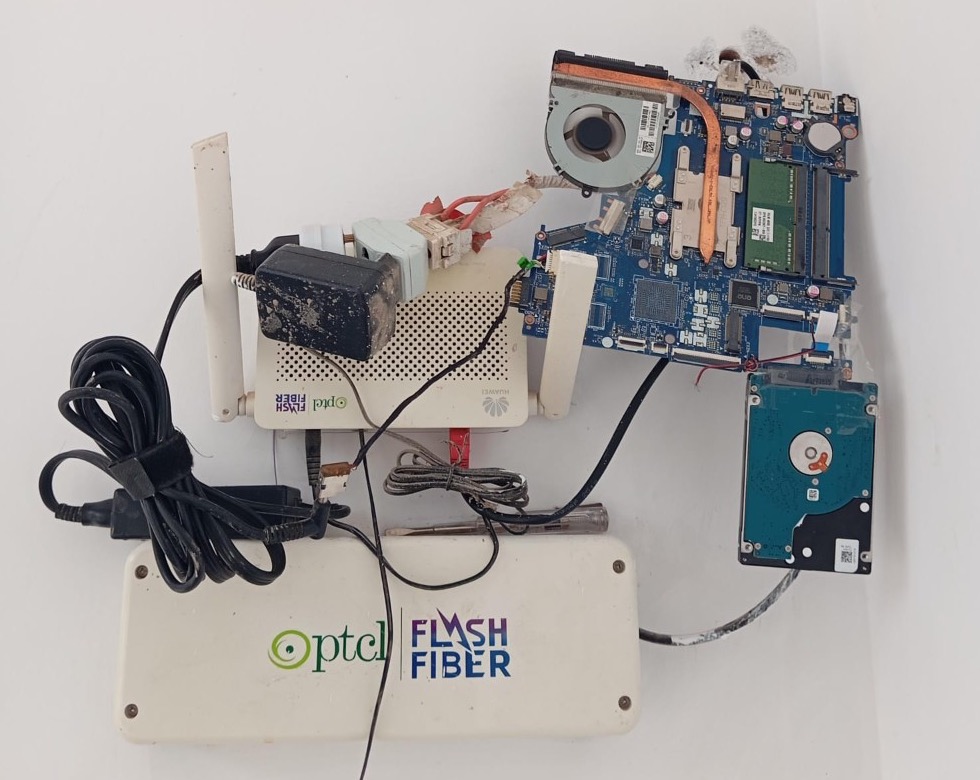
Start with what you already own
Old laptop on the wall beside the router — 2 GB RAM, 512 GB drive. It polls the inverter, serves a few web pages, flips switches on a schedule, blocks ads. You already have the screen port, storage, and power supply; that beats buying a small board and then hunting for case, adapter, and cable.
What was annoying before
Smart switches in different apps, each slow. At sunrise and sunset, flip the pump, fridge, and two ACs — miss it once and the batteries pay. Outdoor light on a timer that drifted an hour through the year. Grid charging on a fixed clock that never matched the days getting longer or shorter. When the grid was off, the charging contactor would not move from a phone app at all.
The solar side was worse. A third-party monitor on the LAN uploaded inverter data to the manufacturer’s cloud and served a status page with no login — anyone who could reach it on the network could read live production. Their portal was clunky; anything useful, including inverter settings, wanted a subscription. Change a value, see “success”, refresh, old number.
Pi-hole
Local DNS, ad blocking, and a block list entry that stops the solar dongle phoning home.
2Smart switches
Every plug on one page. Schedules from today’s sunrise and sunset, not a timer frozen in June.
3Solar, kept local
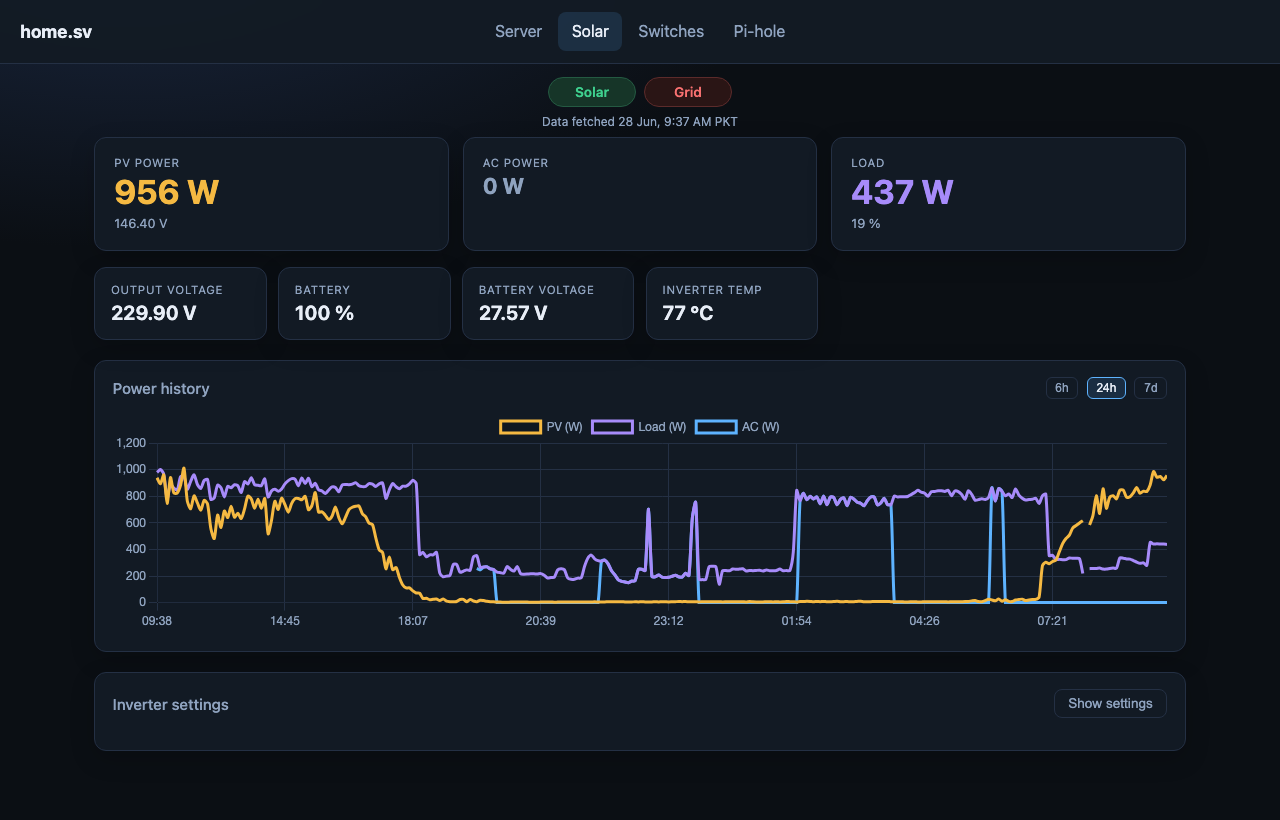
Live inverter stats and settings on the LAN — behind your password, not on an open dongle page.
Pi-hole — not just fewer ads
Pi-hole blocks ads and hands out short local names for the dashboards — no memorising IP addresses. Point DHCP at it and every device on Wi‑Fi gets the same filtering without installing anything.
When the solar dongle kept uploading to the manufacturer, Pi-hole was the off switch. Local pages and automations still work when the ISP drops out. After that, the home server reads the inverter directly; the numbers stay on the LAN unless you choose otherwise.
Smart switches — one screen, schedules that track the sun
Outdoor light, charging contactor, fridge, pump, two ACs — one grid, plain toggles. State is cached on the server so the page is not waiting on five cloud APIs.
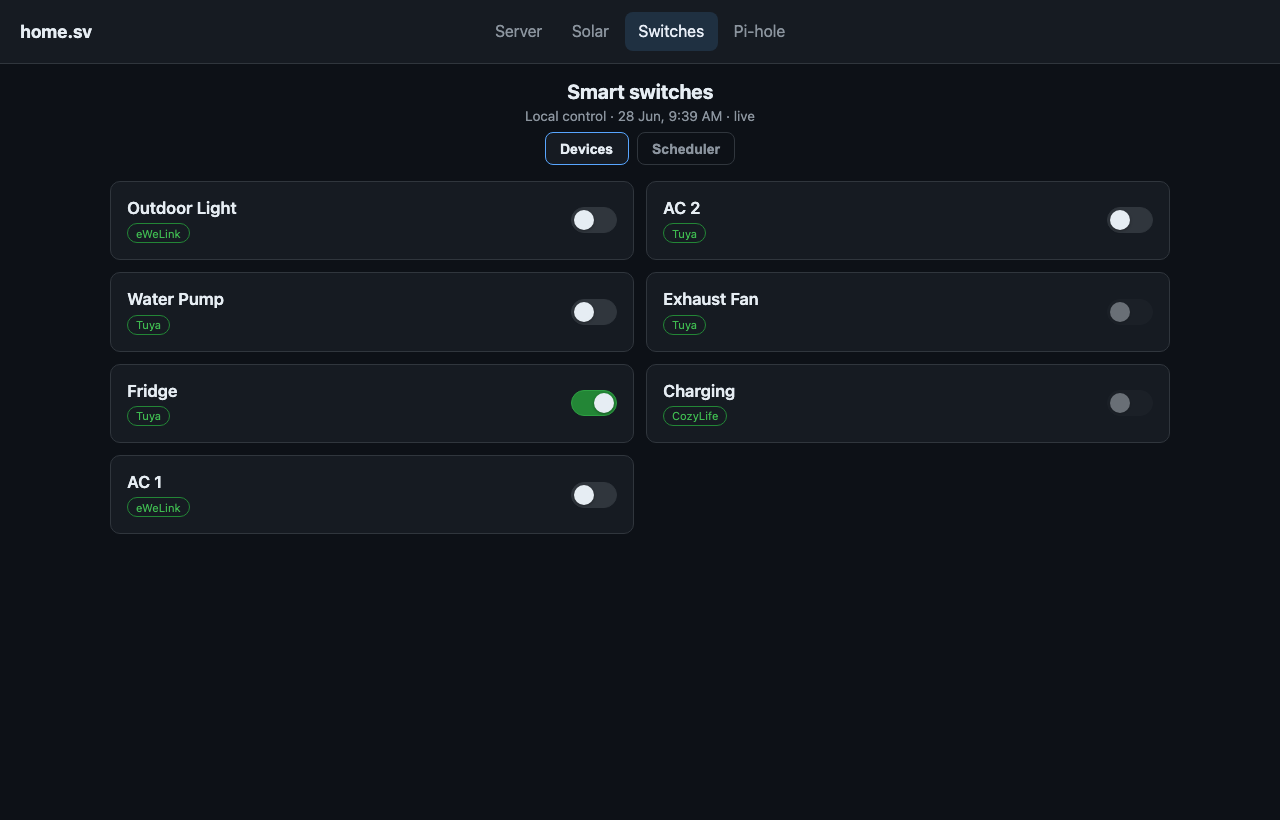
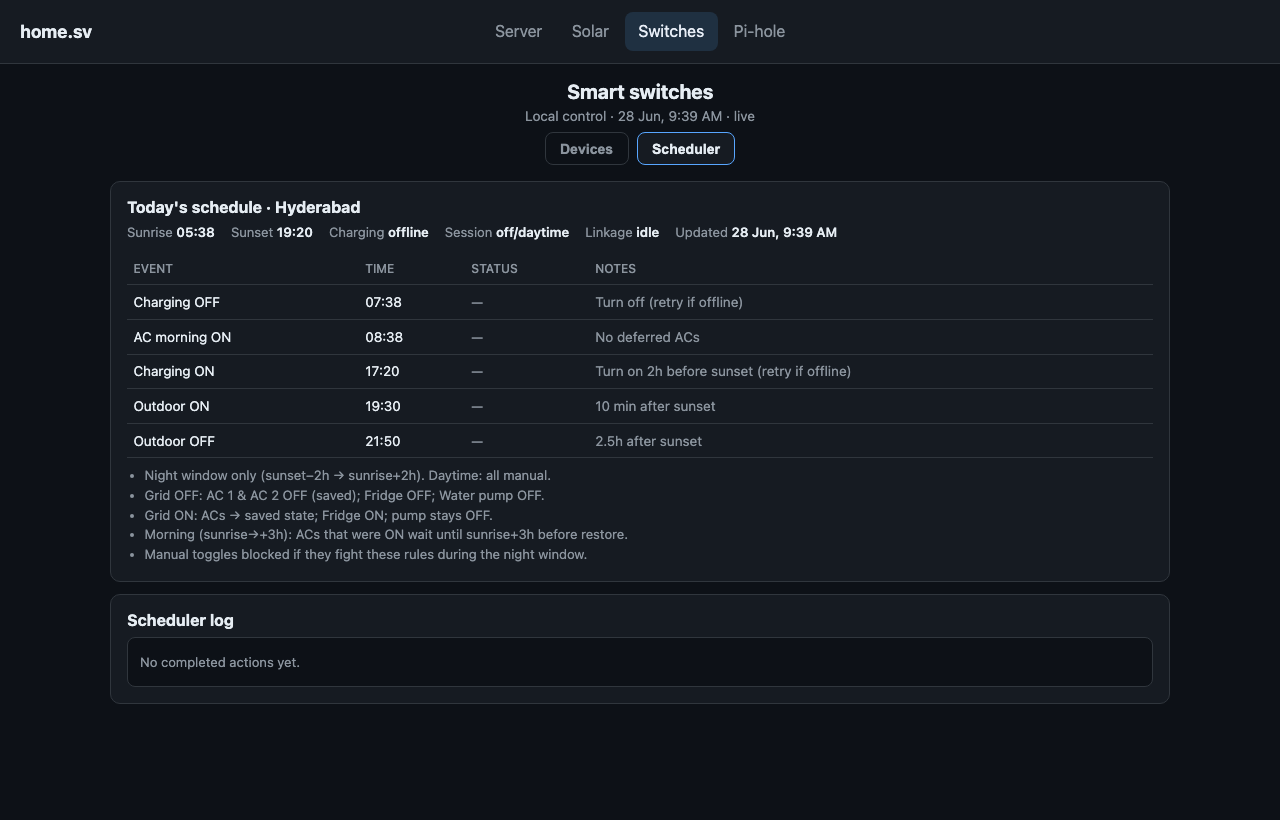
Sunset in June and December are not the same hour. The scheduler pulls astronomical sun times for this latitude every day: outdoor light on ten minutes after sunset, off a couple of hours later; grid charging on two hours before sunset, off two hours after sunrise.
Charging was the awkward one. Grid off, contactor dead from a phone app — but a job on the server keeps trying until the grid returns. Evening changeover I used to do by hand: pump, fridge, and ACs drop when charging starts. Morning is slower: ACs wait an extra hour after charging stops so the panels get a head start.
| Job | When | Why |
|---|---|---|
| Grid charging on | 2 hours before today’s sunset | Fill batteries before evening load; time shifts through the year |
| Grid charging off | 2 hours after today’s sunrise | Hand over to PV; works even when the grid was off overnight |
| Outdoor light on | 10 minutes after today’s sunset | Replaces the fixed timer that was always wrong by winter or summer |
| Outdoor light off | About 2½ hours after sunset | Evening covered without burning all night |
| ACs back on (morning) | 3 hours after sunrise | Charging stops at +2h; extra hour for PV before AC load returns |
The scheduler page lists today’s sun times and a short log of what ran.
Solar — off the cloud, on the LAN
The third-party box did two things I did not want: copied live inverter data to the manufacturer’s cloud, and left a web page on the LAN with no password — production, load, battery, readable by anyone who could open the address. Pi-hole cut the upload. The home server now talks to the inverter over plain HTTP: charts, local history, settings that save. Backlight, buzzer, charge priorities — one place, login required.
Next — match load to the sky
Night is handled: grid charging, linked loads, sunrise and sunset. The useful daytime rule is the same idea in reverse. When clouds cut PV below what the house is drawing, shed the non-essentials — pump, one AC, whatever you rank last — and remember what was on so it comes back when production recovers. The solar app already polls every thirty seconds; the switches already listen to the scheduler. That is one more condition, not a new stack.
Under the hood
One password. Pi-hole for local names; Docker on the laptop for host health, solar, switches, and Pi-hole admin — same nav bar on each. Hostnames resolve only inside the house. Credentials in env files on the box, not in git or blog posts.
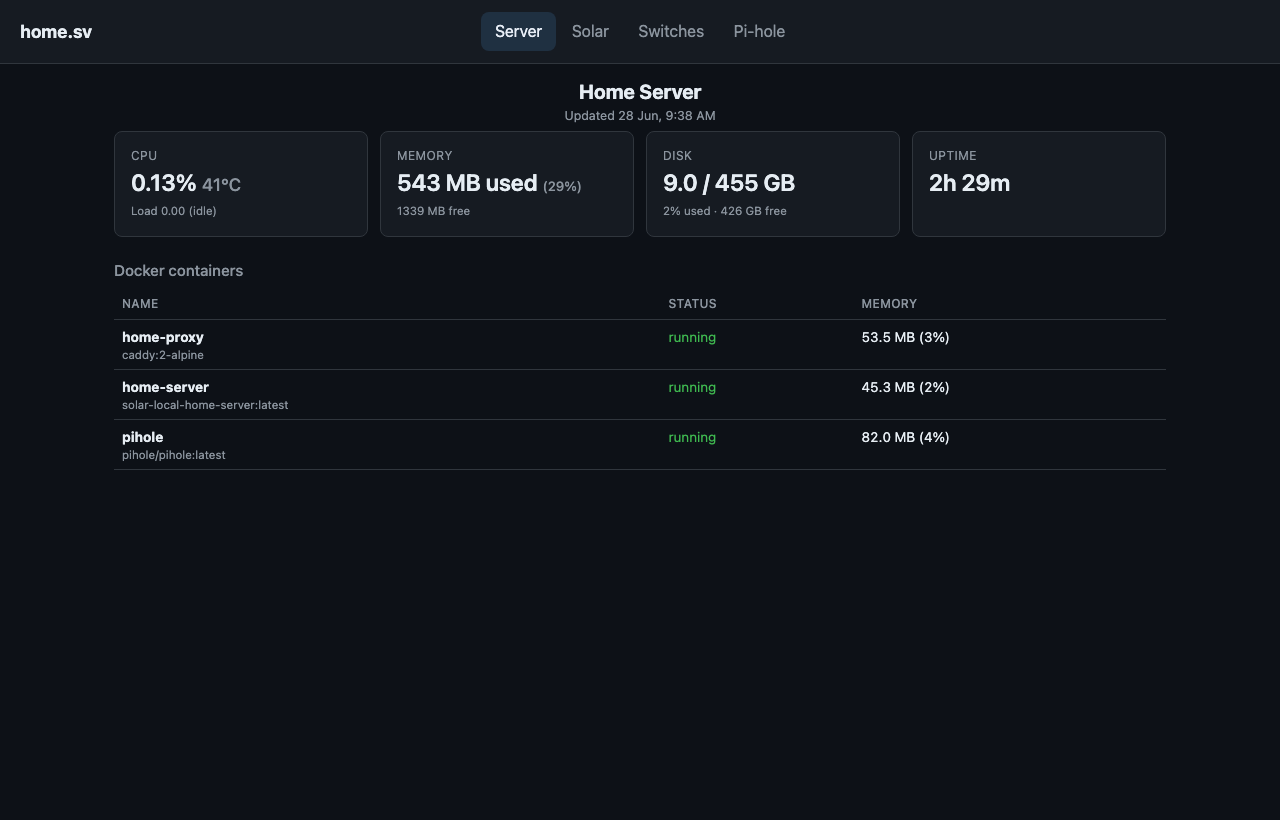
The daily changeover stopped being my problem. Spare laptop, Docker, Pi-hole, a scheduler thread — no Home Assistant required unless you want it. If you already have the hardware and the dawn-and-dusk chores, the rest is wiring the boring parts once.